pops
May 5, 2026, 10:57am
1
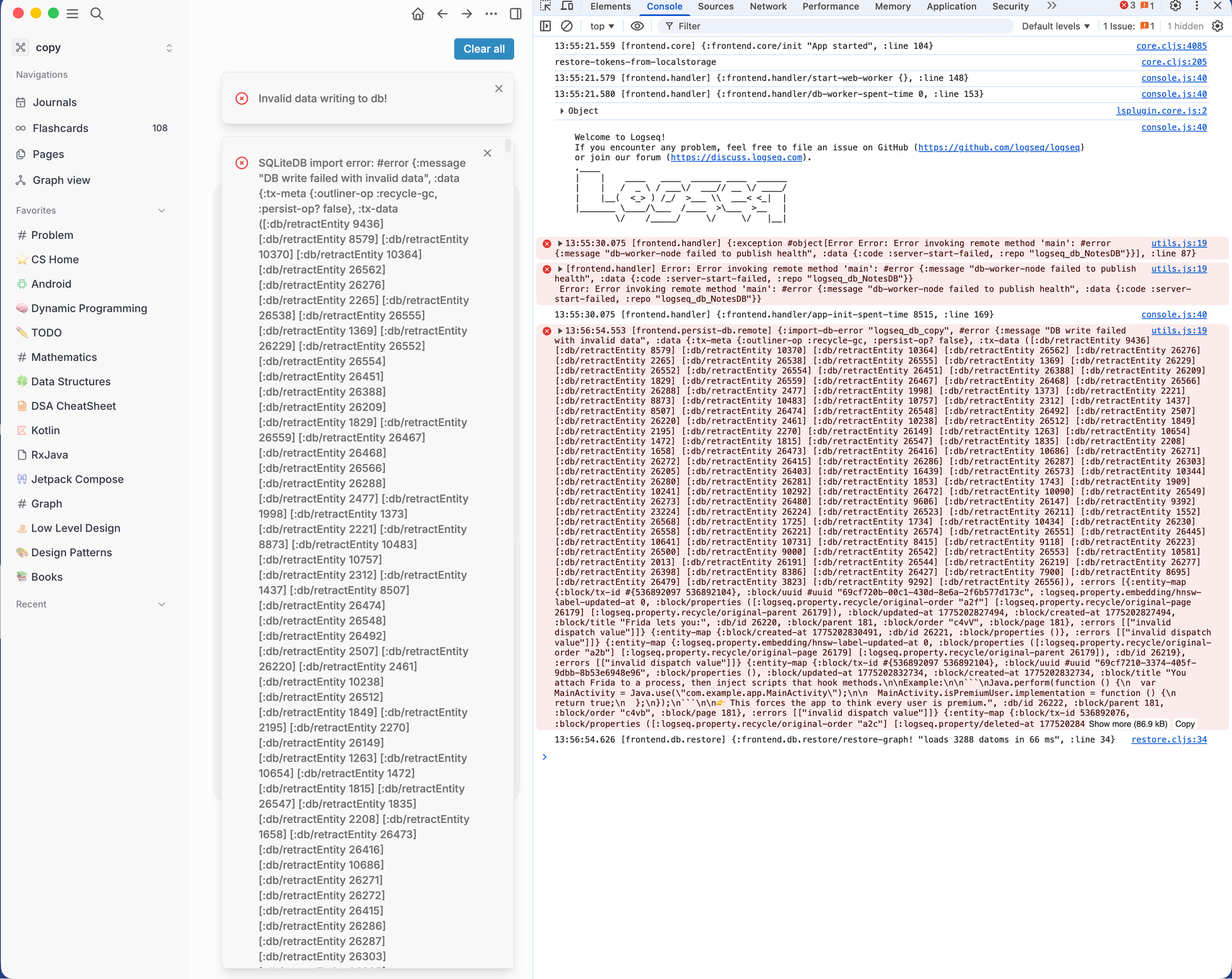
My db got corrupted, so whenever I try to import it by importing db as a new graph I get the following error:Invalid data writing to db!
**SQLiteDB import error: #error {:message “DB write failed with invalid data”, :data {:tx-meta …….}}
It does show my graphs and pages but I cannot export it and every item I open logseq I get Invalid data writing to db!
How do I fix my db so I can continue working on it again
1 Like
pops
May 5, 2026, 10:58am
2
pops
May 5, 2026, 11:52am
3
Please help, even my hourly backups are affected, how do I identify and fix the affected blocks
danzu
May 5, 2026, 11:59am
4
What version of the app are you using? Are you on web or desktop?
If the issue persists, open the console: Toggle Developer Tools: F12 or Ctrl+Shift+I (Win) / Cmd+Option+I (Mac). and capture the errors you see and share.
Side note, the testing and discussion about logseq DB during this phase is happening in Discord where there is a lot more activity at this moment.
1 Like
pops
May 5, 2026, 2:25pm
5
On Desktop version, from latest pipeline 2.0.1-alpha+nightly.20260505
Every time I import notes from my db.sqlite I gethttps://privatebin.app/?c7a0111a0ac14dec#HHYPZ7kDSb5jqShgDsZLU1aLZCCE4Qgs2jDA8PVW89U2
and when I open the graph again I cannot even use the logseq , first it keeps on loading no pages are shown and If I try to do something it crashes withhttps://privatebin.app/?4e629cd43e6d7bb3#66V62WcDZiT3jnaMcH9o6QFF3QJV7gzH6ZuseSTQYP8M
pops
May 5, 2026, 3:06pm
6
I have multiple backups from 1may, 30Apr, 29 apr and even 19 apr , they all are having the same issue when importing