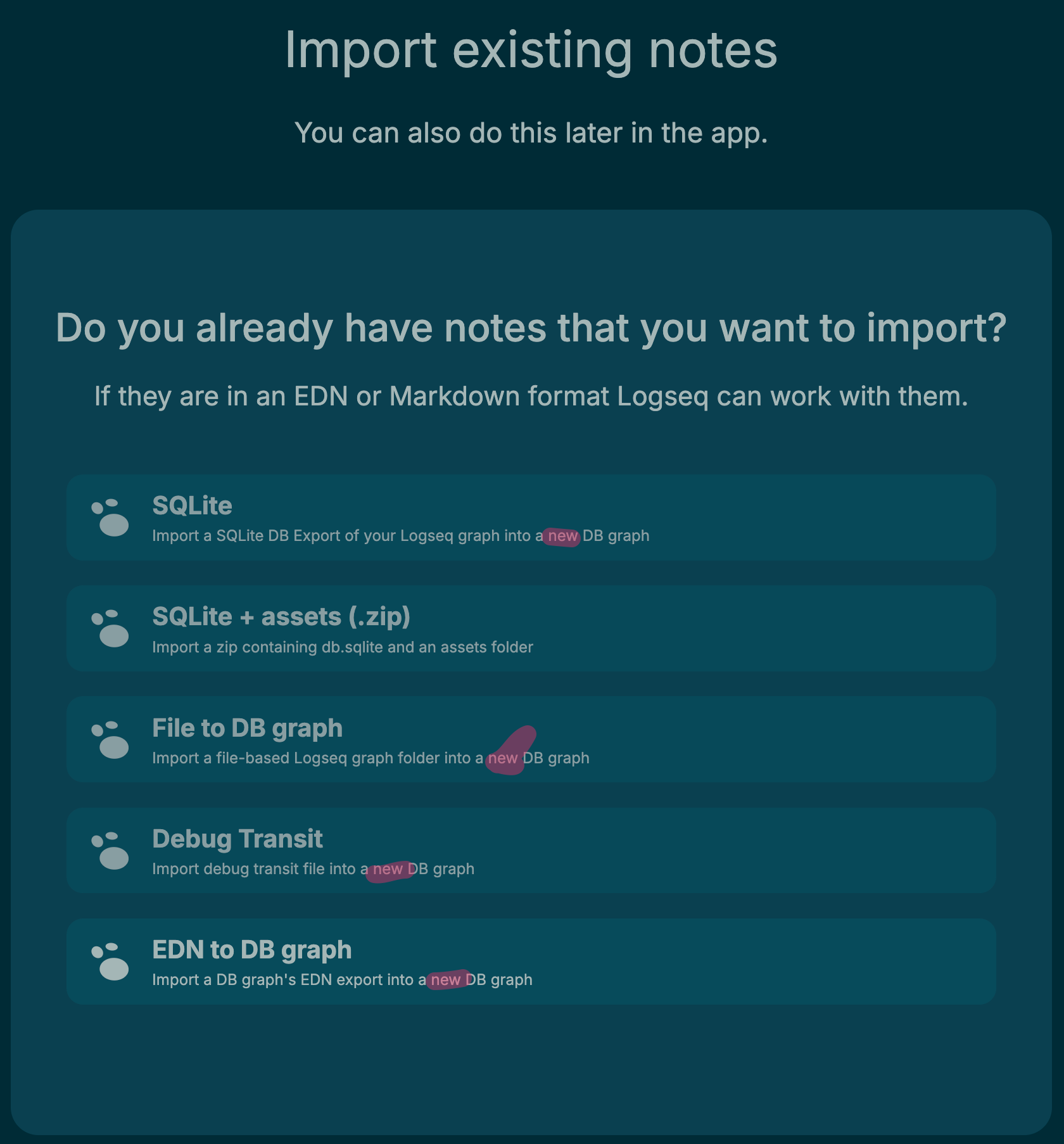
Import file into existing DB graph?

I can import my MD graph to a new DB graph, but what is the best way to import a single file into an existing DB graph? The best workaround I have so far is to use copy-paste. (Apologies if that’s on the “we’ll get to that” list).

1 Like

I want this plus a flexible way to copy and paste/move things across graphs. I don’t know if this already exists

Hi All,

I am a beginner at Logseq and am exploring this for note-taking as I have just started my financial engineering course. I don’t have much Tech background except that I work with SQL and Python hence need help with the basics. I have downloaded wiki-search plugin (search wikipedia), but I am unable to use it. I tried /wiki command in the search bar but nothing shows up. Is there any other plugin you use for web clipping? All my feature and developer mode settings are enabled, but there no plugin icon as well showing on top. Is there any thing that I am missing? Or should I ask this in a different topic?


–> Starting here with some personal musings I’ve wanted to mention here for a while — otherwise, continue reading below.

After over 20 years of experimenting with various personal knowledge management methods, I have discovered Logseq a few years ago and it has quickly become one of my favorite tools. I am currently using Logseq in combination with Obsidian. The reason why I use both? Logseq doesn’t support displaying assets (like images or PDFs) from directories outside its main assets folder. Since I organize my notes, web clippings, and media in a structured folder hierarchy by year and month, I rely on Obsidian as a file manager. This lets me easily generate subsets of my graph — whether it’s a full timeline, just the last five years — while still enjoying Logseq’s strengths for content work and journaling.

So far, so good. I’ll never go back to a database-based PKMS. While I appreciate the concept of Supertags in the database version, I think it’s quite a nerdy niche. It’s probably ideal for power users like myself and other advanced Logseq enthusiasts, but likely not accessible or practical for the vast majority of potential users. And I also not really require it for my general and simple PKM.

Therefore, I really appreciate that Logseq is moving toward a dual future: Markdown-based and DB-based. This gives me hope for the long-term viability of the platform. Otherwise, I might have already switched to Obsidian or even VS Code.

Yet I have one project where the DB features could truly shine: my personal Japanese grammar and lesson database. So I decided to try the daily builds of the Logseq DB version. According to their roadmap, the core DB functionality — even if not fully polished — might already be usable. And since my Markdown notes are safely backed up, I thought: Why not give it a try?

← End of personal thought, and know my question:

I started learning the DB model — and yes, it’s fun. But here’s where things get frustrating: How do I import existing content into a Logseq DB? Like the previous poster I haven’t found a solid answer yet. For Markdown graphs, I am using a Markdown Webclipper browser extension to capture content directly into Logseq. But how do I get those Markdown files into a DB-based Logseq instance? The database import function always creates a new graph, not integrating with the existing one.

As a result, for me, the DB version feels largely unusable right now. That’s a real shame, because I really enjoy the potential of structured learning databases with Supertags. But without a simple way to import existing content — especially web clippings and notes — the transition feels impossible.

I do not understand why the team is prioritizing features like Real-Time Collaboration (RTC) before implementing basic, foundational requirements like a usable import path for existing users. I didn’t ask for RTC — I just want a way to use the DB version with my current content. I hope the Logseq team considers releasing a stable DB version sooner.

Any thoughts or solutions on how to import Markdown content into a Logseq DB? Maybe I have missed something.

1 Like

The only solution so far is - you can export individual pages - by exporting them as EDN from one db graph and import it to another using the Import EDN command.

Hope this helps someone.

Hi all; any updates on this? I’ve installed the DB version, but switching is not feasible without incremental .md imports. Thanks.