Hi everyone,
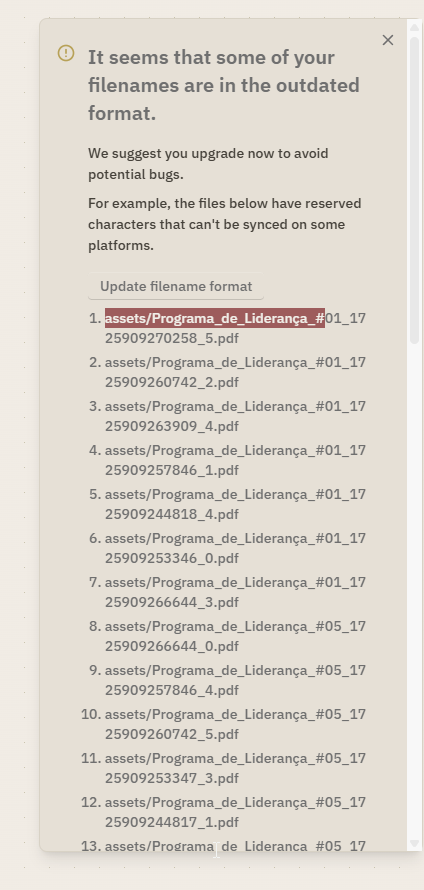
I’m facing a persistent issue with Logseq where the warning
“Some of your filenames are in the outdated format” keeps appearing, even though the files listed in the warning no longer exist.
What happened
-
In the past, I had PDF files in
assets/with#in their filenames. -
Logseq detected them and showed the outdated filename format warning.
What I already tried
-
Renamed all
#string of the affected files (no#left in filenames). -
Verified that no files exist in
assets/(confirmed via OS search). -
Removed all
#references from.mdfiles. -
Reindexed the graph.
-
Cleared Logseq global cache (
AppData/Roaming/Logseqon Windows). -
Restarted Logseq multiple times.
-
Created a brand new graph and copied only
pages/,journals/, andassets(no.logseq/).-
The warning is gone locally.
-
As soon as I enable Logseq Sync, the warning comes back.
-
Conclusion so far
This strongly suggests that:
-
The warning state is being persisted in the Logseq Sync remote database.
-
Sync seems to re-inject an old “outdated filename” flag, even though the files no longer exist.
Question
Is there a way to fully delete or reset the remote Sync database / remote graph on Logseq Sync?
I already tried disabling Sync and reconnecting, but the issue persists.
If there is an official way to force-create a truly clean remote graph or wipe the remote sync state, I’d appreciate guidance.
Thanks in advance.