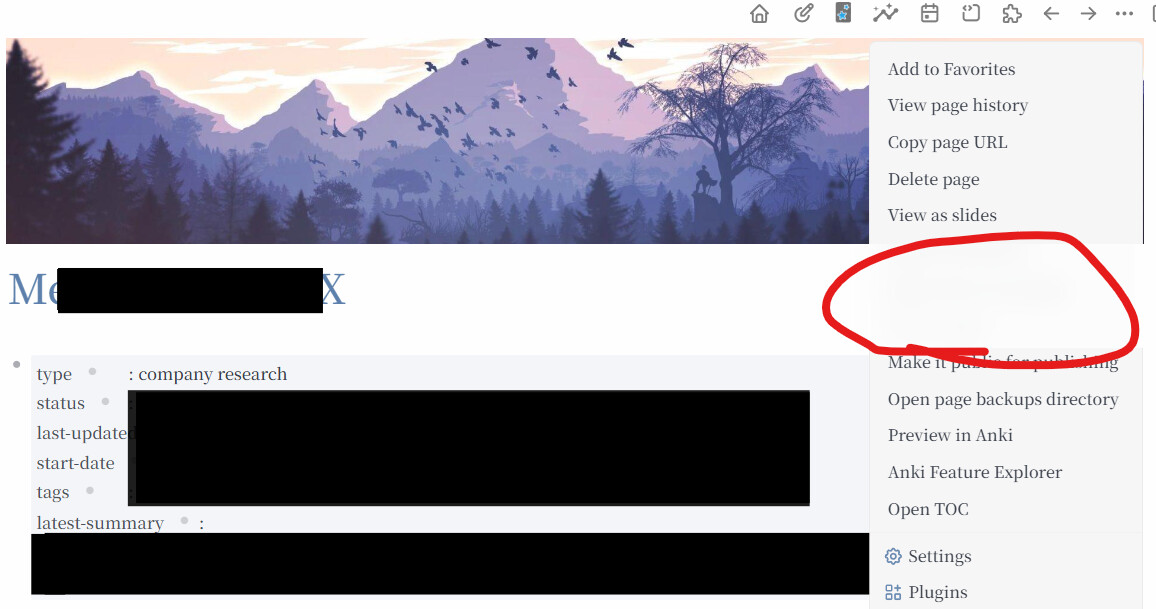
Page Title block covers the Drop Down Menu of setting (three dots)


I have tried AI. Can’t seem to solve the problem. I clicked the setting on the top right. The drop down menu is covered by the Page Title Header.

How do I solve this? I used sticky header plug in, and I think (not sure) the h1 (h2 etc) headers are probably blocked by the Page Title Header so it doesn’t show up.

I tried using default logseq theme, tried disabled Banner plug in. Nothing works. The Page Title just blocks the drop down menu, and sticky header just doesn’t work.

1 Like

Hi, I ran into the same problem recently(sry it appears i can’t post pictures)

However, to me it is the plugin logseq-toc-plugin v2.1.0 that has caused the problem, while sticky header neither causes the problem nor functions normally. I wonder if you too are using logseq-toc-plugin.

I found that the following codes in the plugin are the reason
.ls-page-title + .flex.flex-row,
div.flex.flex-row.space-between {
  position: sticky;
  top: 0;
  z-index: 99;
  background: color-mix(in srgb, var(--ls-primary-background-color) 80%, transparent);
  backdrop-filter: blur(12px);
  -webkit-backdrop-filter: blur(12px);
}

One plausible fix is to override the setting above in Settings → General → Edit custom.css.

fix:

.ls-page-title + .flex.flex-row,
div.flex.flex-row.space-between {
  position: static !important;
  z-index: auto !important;
  background: transparent !important;
  backdrop-filter: none !important;
}

and then the plugin works normlly withou any problem

hope this helps!

1 Like

Man, you are a life saver!!

it has been troubling me for a very long time now. Thanks to you, it is resolved now.

Thank you so much.

Man, you are a life saver!!

it has been troubling me for a very long time now. Thanks to you, it is resolved now.

Thank you so much.