Hi everyone!
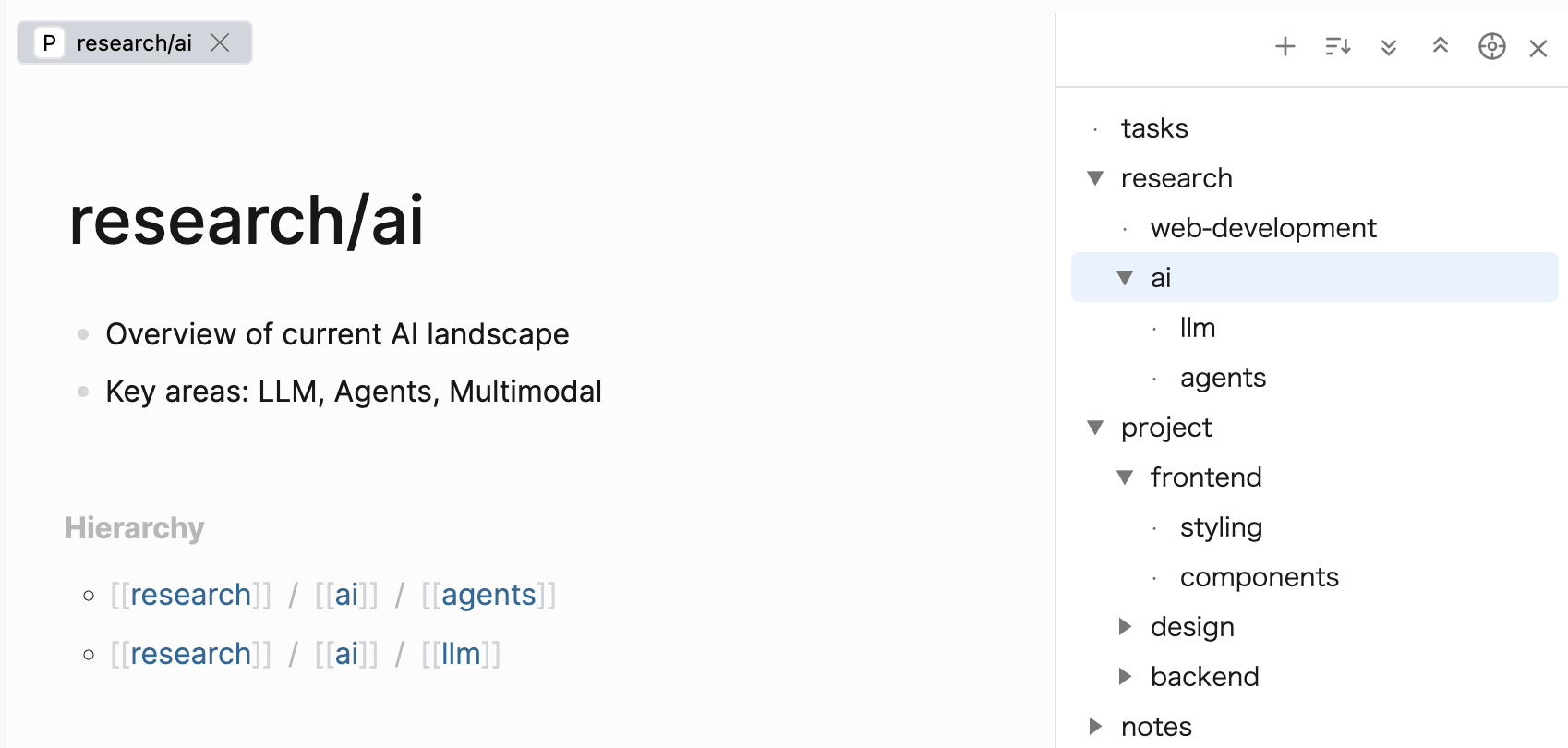
I built a plugin that turns your namespaced pages (e.g. dev/react/hooks) into a file-explorer-style tree panel in the sidebar.
If you use namespaces heavily to organize your pages, this plugin lets you browse, reorganize, and manage them visually — just like a file explorer.
Features
- Tree View — Browse all namespaced pages as a folder/file tree in a side panel
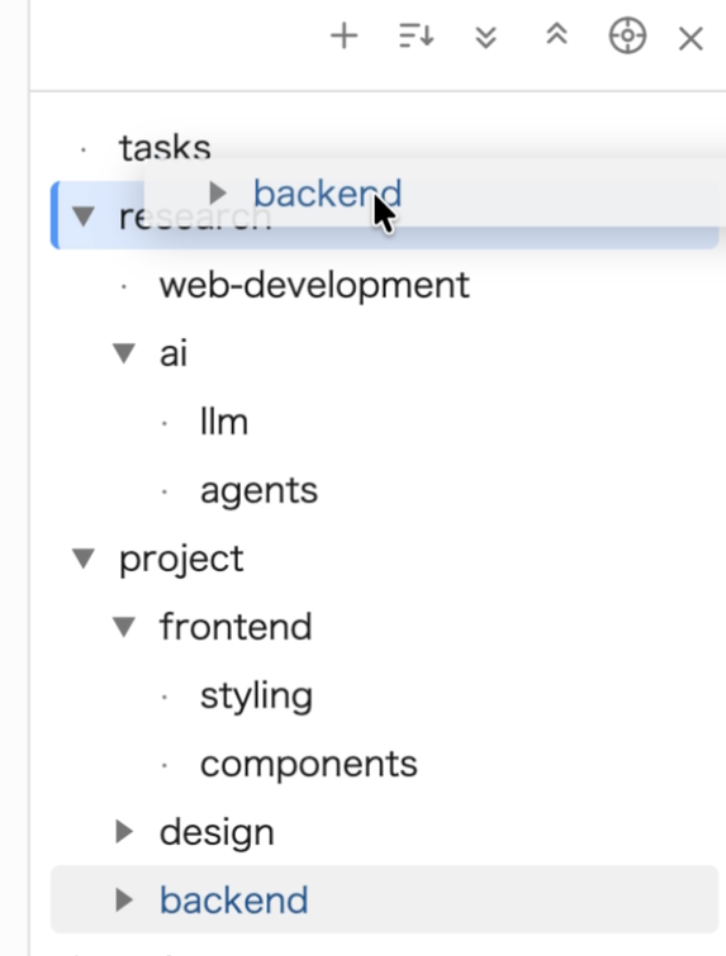
- Drag & Drop — Reorganize your namespace hierarchy by dragging pages and folders (single or multi-select)
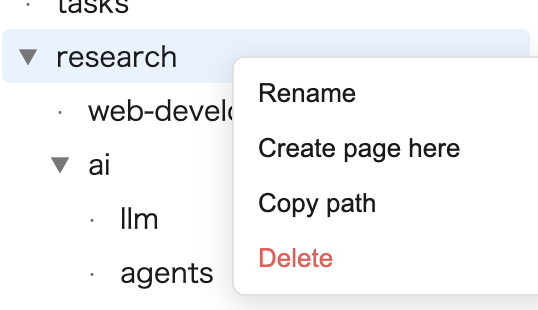
- Right-Click Context Menu — Rename, delete, copy path, or create a page
- Sorting — Sort by name or last-updated date, with a folders-first option
- Reveal Current Page — Highlight and scroll to the currently opened page
- Theme Support — Works with both dark and light themes
Drag & Drop
Move pages between folders, move entire folder subtrees, or drag multiple selected items at once. A confirmation dialog shows all affected pages before any rename is executed.
Context Menu
Right-click any node to rename, delete, copy path, or create a child page.
Install
Search for “Virtual Directory Tree” in the Logseq Marketplace.
Or check out the GitHub repo for more details:
Feedback and bug reports are welcome!