Ontology or Taxonomy (e.g. Schema.org) - NameSpace Hierarchy: Class/property or property/Class or both?

Background:

But my actual Topic:

The materialproperty can be a Node, URL (an instance of Node) or Text.
How might Logseq best handle properties with several possible Data Types?

  • NameSpace Hierarchy: Class/property or property/Class or both?
  • In schema.org, many properties can be input as several * DataTypes
  • How best to handle this in Logseq?
  • I notice that it already supports multiple property namespaces
    • [ logseq-property user-property ]
  • How would it cope with [[Class/property]] or [[property/Class]] ?
  • … maybe both?
    • make them alias:: of each other?
    • Example
      • we could have 3 possible materialproperties :
        • material/#Product
        • material/#URL
        • material/Text
      • or 6?
        • #Product/material
        • #URL/material
        • Text/material

| material | Product or Text or URL
| A material that something is made from, e.g. leather, wool, cotton, paper. |

I understand it is in development, but I am not formally requesting a feature.
Also the pressure to simplify the product to the user (has that ship already sailed?).

Just wondering if it already works …
I may experiment … and report back …

Eric
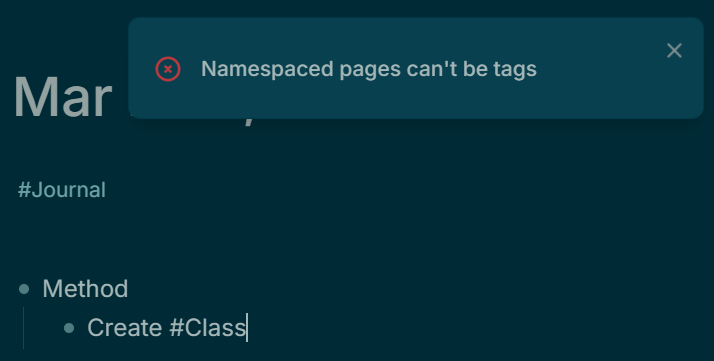
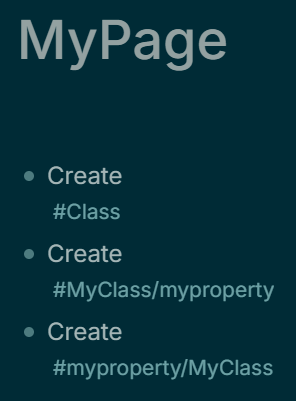
Well, that experiment took les than a minute!

How did it know #Class was going to be NameSpaced?

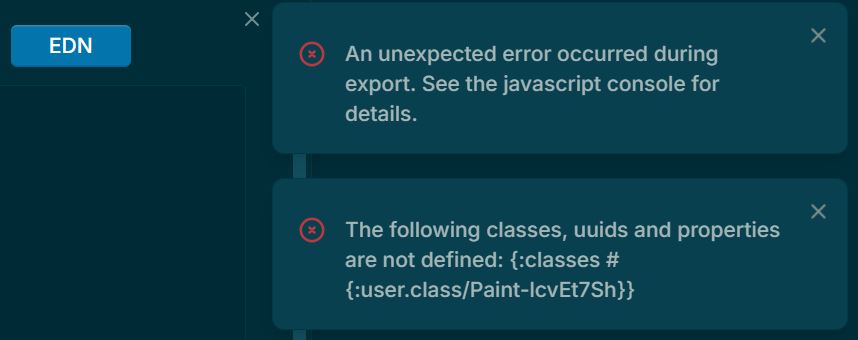
I tried again, just using a by-the-book simple non-namespaced UI-generated #Tag and hit a (spurious?) error in ‘Export Page as EDN’ that means it is going to be hard to interpret the results of experiments.

As far as I can see, [[Paint]] is correctly-referenced as ‘Paint-lcvEt7Sh’.

I could not reproduce the initial error message “Namespaced Pages can’t be Tags”.

Tried reversible NameSpaces.
[[Class/property]] or [[property/Class]]

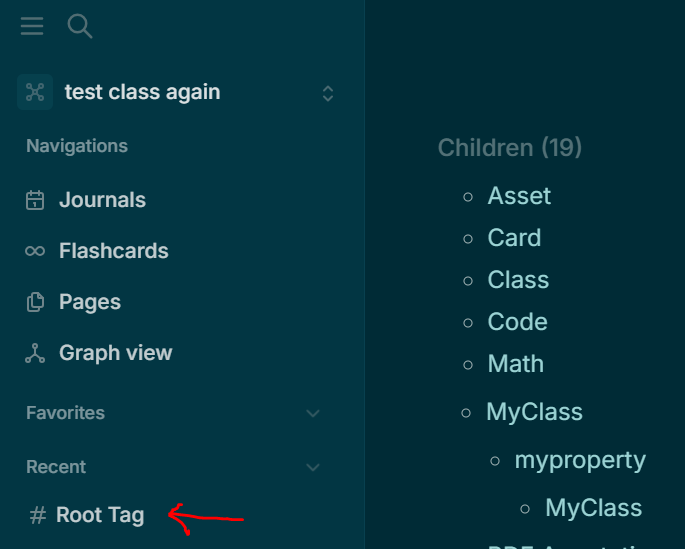
It avoided circular references by creating a deeper Hierarchy.

These are [[Root Tag]]’s Children

Not what I hoped for, but quite understandable.
Is it usable?

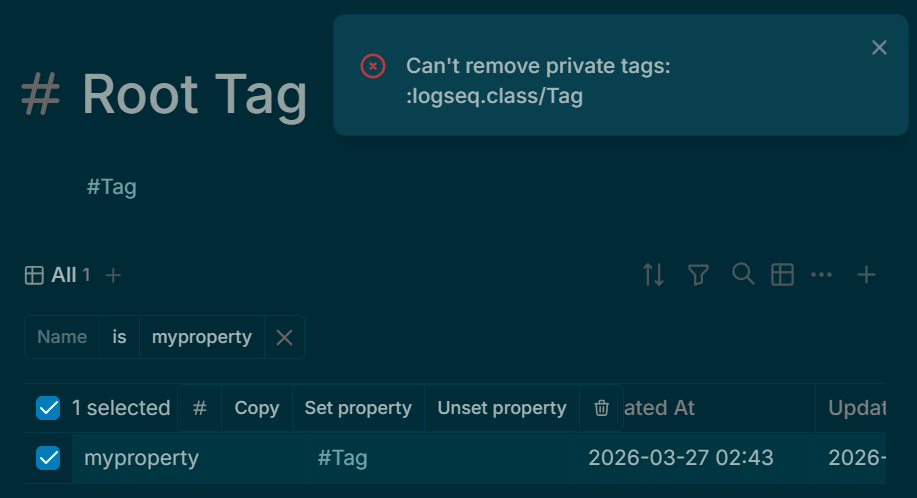
First problem: [[myProperty]] has property Tags:: #Tag (not #Property) so it is not a Property, it is a Tag (or Class).

And I can’t change that.

It seems likely that Properties and Classes are completely separate Namespaces, so we probably can’t do this.

So, how can Logseq handle Properties that can take several different Data Types: [ Node, URL, Text ] ?

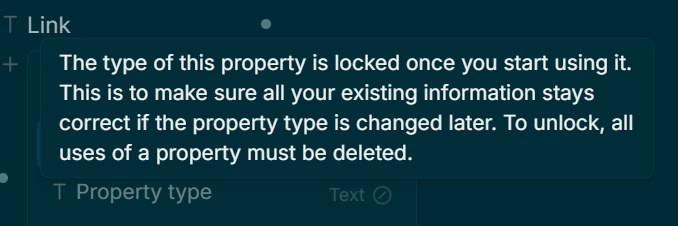
A property can have one and only one data type.
The Root Tag is the parent of all tags.
All tags created by a user will be prefixed with #tag to identify them as tags.

1 Like

I suppose “[[Node Reference]]” is a text string.

So if a schema.org Property can accept Node, URL or Text as property-types,
I set Logseq to the ‘loosest’ property-type, namely Text.
Then I can input (without the ““) as property-value

… and it should work.

Downsides?
It bypasses the URL-validation. But I have found that to be unreliable, to say the least, at the moment.
Node references are sort-of validated, but made valid by creating (accidental unwanted) nodes that didn’t already exist. E.g. typos !

I’ll test this theory …

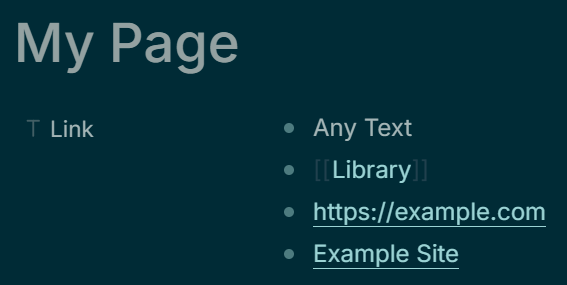
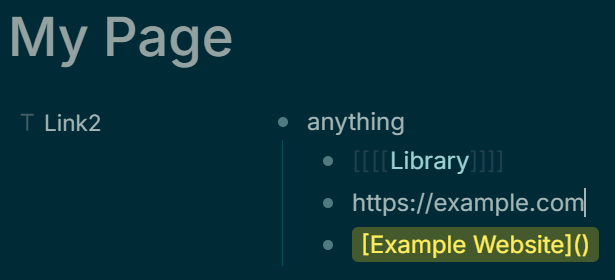
Discuss forum has mis-rendered “[Webpage Title](https://example.com)” above.

Saw this

Looks good!
Logseq doesn’t linkify example.com without the https://

I did set the property to multi-value, but didn’t find any way to provide two or more text strings.
However, even single-valued, you can concatenate (just input one after another) all the text versions you wanted.
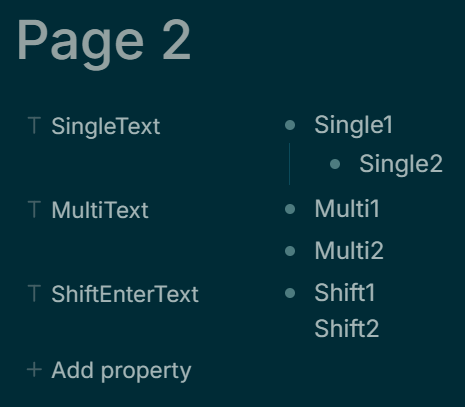
Even better, Logseq supports (some) ‘markdown’ text formatting in Text Properties, so new lines are rendered as bulleted lists. (Shift+Enter for new line without bullet)
(Not Tab-to-indent.)

I was overthinking …

Downsides? Disadvantages?

Seems Text properties should not be set to multi-value!
Export Page as EDN fails, but Export Graph as EDN is valid and works.

Too minor to report as a bug?

It does some light validation in the input text editor.

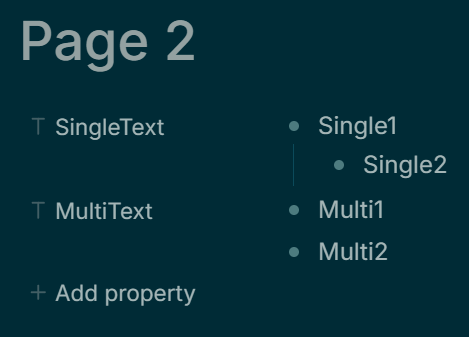
It seems if the Text property is left at the default single-valued, 2nd and subsequent lines of text are indented.

If set to multi-valued they are not indented. Best left single-valued?
EDN export

{:user.property/Link-JYKhvwJ9
     #{{:build/property-value :block,
        :block/title "anything",
        :build/children
        [{:block/title "[[00000004-1294-7765-6000-000000000000]]"}
         {:block/title "https://example.com"}
         {:block/title "[Example](https://example.com)"}]}}}

/children are indented

Compare multi-value: much cleaner and simpler in EDN.

{:user.property/MultiLink-coe6wPpI
     #{"anything" "[[69c6076e-502f-4ab7-a57c-3af4c49cd875]]"
       "https://example.com"
       "[Example](https://example.com)"}

Oddly, the page-export has both cardinality/many !

I suspect when I changed it back, that change wasn’t stored.
I often find it is cleaner to delete something and re-do: often edits aren’t reversible.

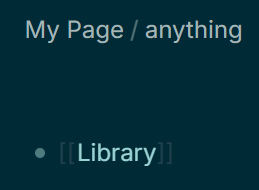
Note that [[Library]] has not found the Logseq Library page, but rather has linked to the previous page Link:: property value! Perhaps the real Library would be found if it weren’t empty?

So nodes insides Property-values are TOO findable!

All rather hit-and-miss!
Maybe Text should be multi-value!
Those nodes-in-property-values are likely to appear anywhere other nodes appear!
Should be hidden ?

    {:user.property/SingleText-hdfHy2iA
     {:build/property-value :block,
      :block/title "Single1",
      :build/children [{:block/title "Single2"}]},

     :user.property/MultiText-IGhQoNj_ #{"Multi1" "Multi2"}

Maybe single-value, separated by Shift+Enter?

     :user.property/ShiftEnterText-Qq7fJ6he "Shift1\nShift2"

Even cleaner!

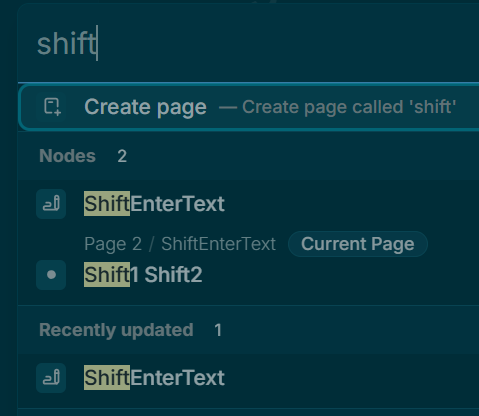
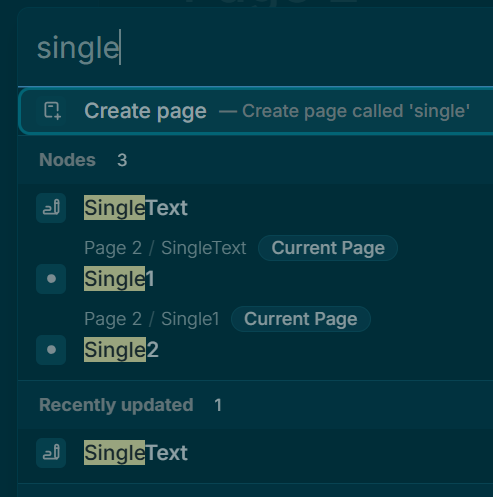
Now, how do they fare in searching?
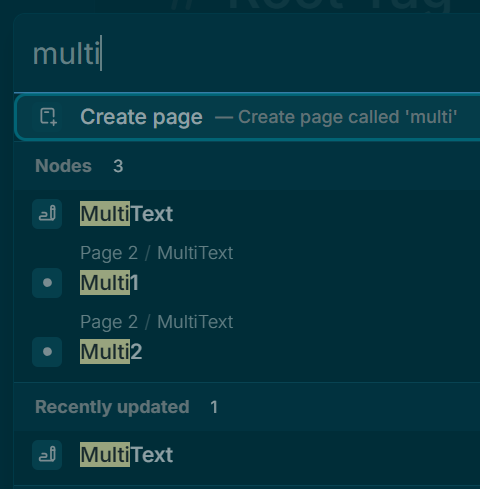
Ctrl+K

Ctrl+K - all the same.
Well, separating terms by Shift+Enter only produces one hit per page, not one hit per page per property-node!

I am not into queries yet. Will explore …

{{query (property SingleLinkText SingleLinkText1)}}
doesn’t find

 :user.property/SingleLinkText-bPBlMy0g
     {:build/property-value :block,
      :block/title "[Example](https://example.com) SingleLinkText1",
      :build/children
      [{:block/title "https://example.com SingleLinkText2"}
       {:block/title
        "[[00000004-1294-7765-6000-000000000000]] SingleLinkText3"}
       {:block/title
        "[Child Example](https://example.com) SingleLinkText4"}]}}

Gemini
When you run the simple query {{query (property SingleLinkText SingleLinkText1)}}, the engine is scanning the database looking for a primitive string. When it hits your property, it sees a Block Object instead of a string, gets confused, and skips it.

Oh, we have misleading documentation!

{{query (property key value)}}

from the simple Query Examples (?) pop-up seems to be deprecated:
Maybe now just

key: value

Where key: is the Property-name
It seems to take a very wide matching algorithm for value too …

Is anything current accurately documented anywhere?

Logseq (?) button at the bottom-right corner opens ‘Handbook’.
‘Documentation’ link leads to docs.logseq.com which is Logseq-MD, as far as I can tell!

I love a good puzzle!

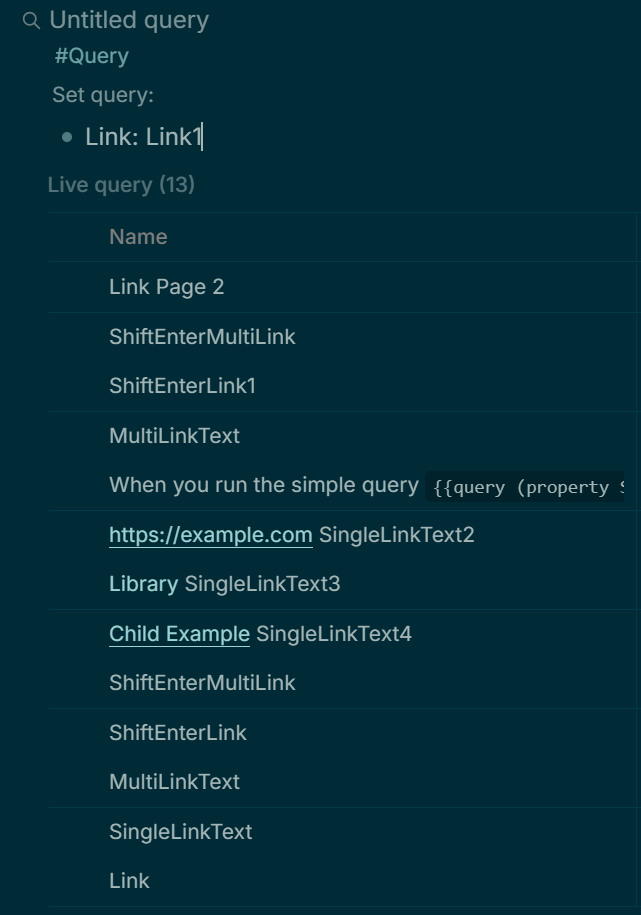
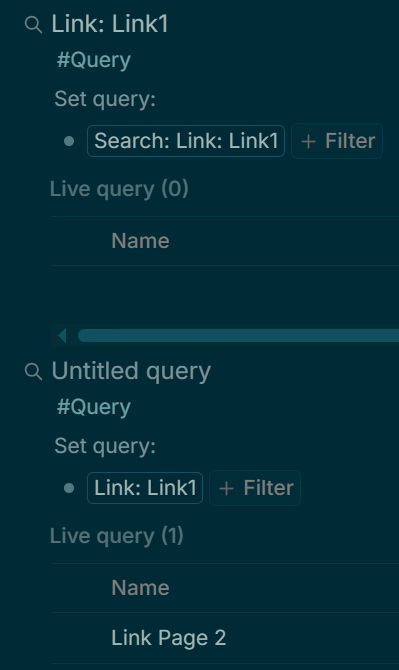
Oh, it seems to match anything mentioning key, (“Link”), but ignores value(“Link1”)? Really?

I was hoping to find this, and only this:

Ah, I see the text-insertion cursor was still in the ‘Edit Query’ box.
It seems to have searched while I was typing.
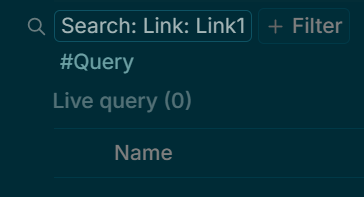
Now, after a Ctrl+Shift+R refresh:

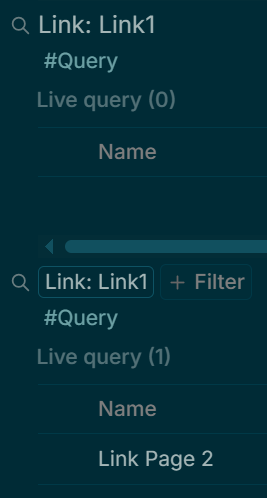
Comparing typed-query with Query Builder:
where did Search: go?

What is the secret? Do typed-in queries no longer work?
Ah, the refresh closes the ‘Set Query’ box.
Click the hidden⚙️after each Query title (or somewhere near there!)
Now my question is ‘Where did the “Search: “ come from ?

{:pages-and-blocks
 [{:page {:block/title "Typed vs Built Queries"},
   :blocks
   [{:block/title "Typed Query",
     :build/tags #{:logseq.class/Query},
     :build/properties {:logseq.property/query "Link: Link1"}}
    {:block/title "Built Query",
     :build/tags #{:logseq.class/Query},
     :build/properties
     {:logseq.property/query
      "(property :user.property/Link-AfEH4Aon \"Link1\")"}}]}],
 :logseq.db.sqlite.export/export-type :page}

Ah …
(property :user.property/Link-AfEH4Aon \"Link1\")
The hidden ‘random’ property-suffix!
Of course!

Back to where I started, 10 hours ago, perhaps we should have three namespaces?
One for a customisation schema:

  • logseq.property/*
  • schema.property/*
  • user.property/*

Tana is beginning to look attractive …

The forum deleted a post above which I tried to edit ‘too late’.
I wanted to discard the edit, but it discarded the post!

I abandoned the experiment before reporting back fully.
The Query Builder Simple Queries worked, to an extent.

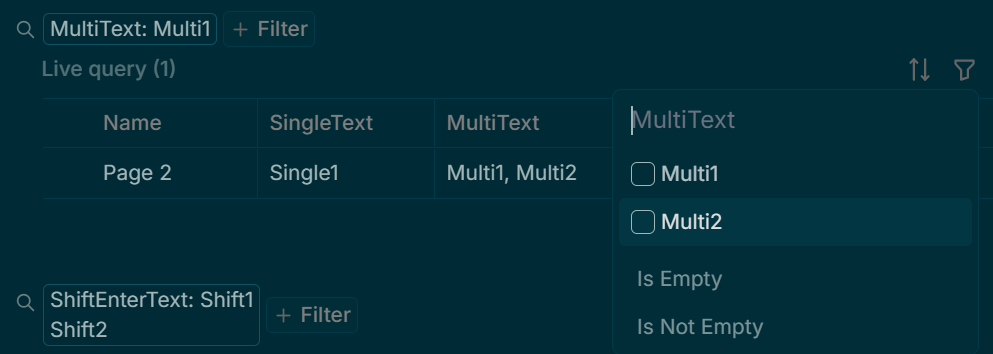
From memory, the ‘property-value picker’ only showed the first line (first value) of multivalue properties, except for the case where they were separated by Shift+Enter ( \n ).

Conversely, the query results table only showed the first line,
except for the multi-valued Text Property

:user.property/MultiText-IGhQoNj_ #{"Multi1" "Multi2"}

So hitting Enter between "Multi1" "Multi2" isn’t adding a new line to one string: it actually creates a second Text property-value-string.
That is why it wasn’t indented.
I take back the bit where I said I couldn’t see how to add a second value: I just didn’t recognise it.

The Query Filter ‘property-value picker’ seems to work then, too!

Conclusion:

Multi-valued Text is the way to go.
Enter starts a new value.
If the second value is indented, the property needs to be set to multi-valued.

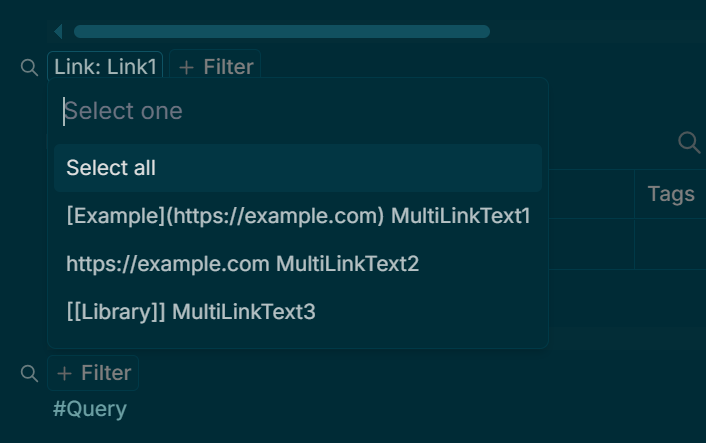
With links, Query Builder does this

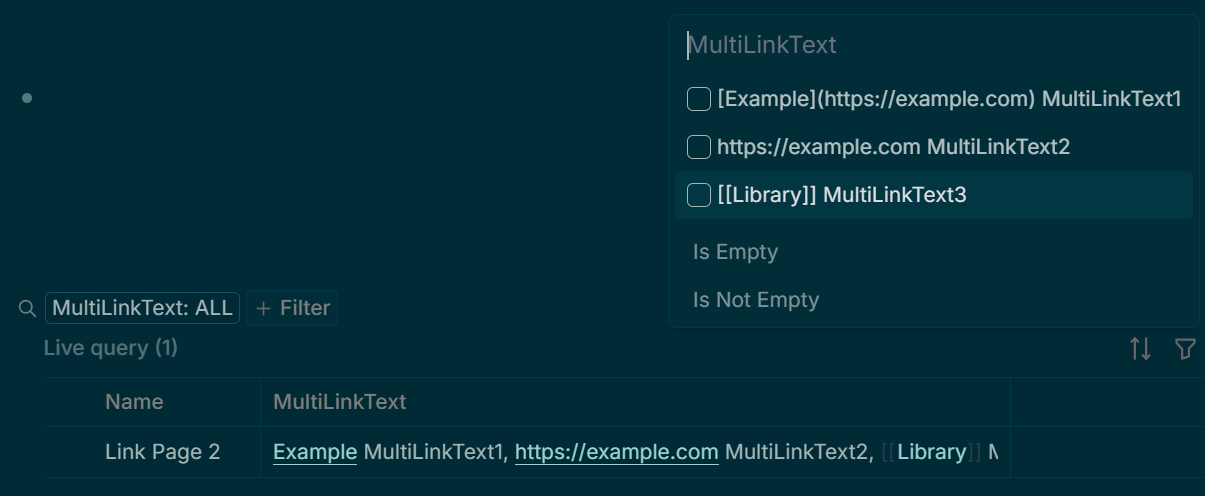
…and filtering the Query Results table